
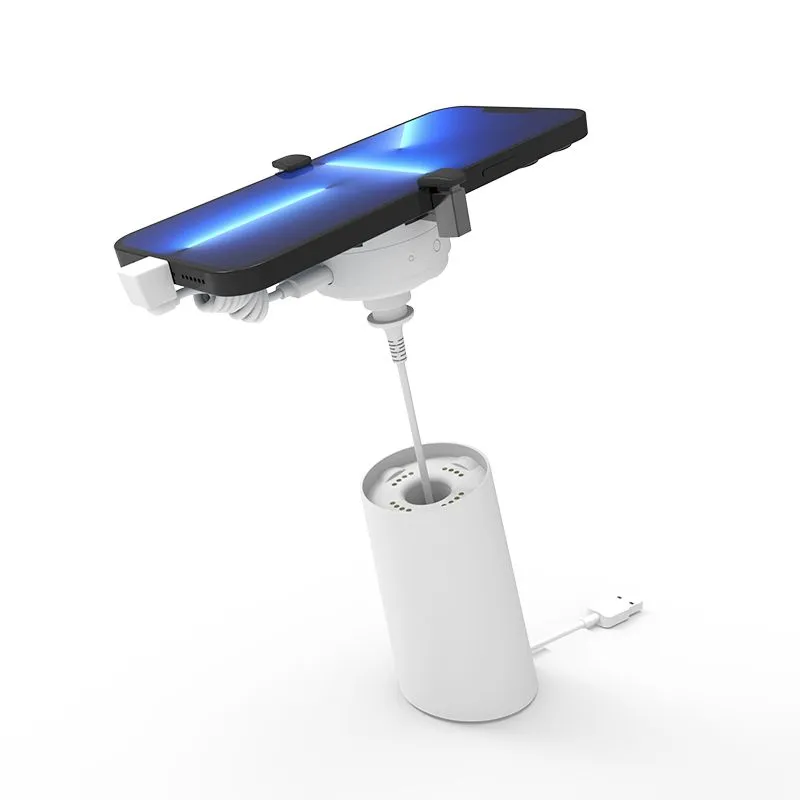
It's a frustrating moment every retail manager knows. A sensor cable on your phone security display wears out — the copper inside the jacket has finally fatigued after thousands of customer lifts. You order a replacement on Alibaba or Amazon. The connector looks right. But when you plug it in: dead silence. The alarm base doesn't recognize it.
You're not the victim of a defective product. You're the victim of a deliberate, industry-wide design choice: proprietary cabling.
It's Not Just the Connector — It's Everything Behind It
When people see a sensor cable that won't work, they assume it's a connector mismatch. And sometimes it is. But even when the connector fits perfectly, there are three independent layers that need to match — and almost certainly don't:
Layer 1: The Physical Connector
At the most visible level, different manufacturers use different physical connectors. The most common types found in retail security displays:
| Connector Type | Commonly Used By | Pin Count | Visual Clue |
|---|---|---|---|
| RJ11 (6P4C) | Legacy Chinese manufacturers, older InVue models | 4-6 pins | Transparent plastic, similar to old telephone jack |
| RJ45 (8P8C) | Some centralized systems, premium brands | 8 pins | Looks like Ethernet — but isn't |
| Proprietary 4-pin | Tocvue, MTI, most mid-tier brands | 4 pins | Rectangular white/black housing, keyed |
| Proprietary 6-pin | High-end alarm bases with charging capability | 6 pins | Wider rectangular housing, often color-coded |
| Micro-USB / USB-C | Wireless charging alarm stands | 5 / 24 pins | Standard USB form factor |
| 3.5mm audio jack | Budget standalone alarm units | 2-3 contact points | Identical to headphone plug |
But the connector is just the beginning.
Layer 2: The Pinout
Two cables can have identical 4-pin connectors but completely different pin assignments. One brand might assign:
- Pin 1: VCC (+5V) — Pin 2: GND — Pin 3: Sensor signal — Pin 4: Alarm trigger
While another brand with the same physical connector uses:
- Pin 1: GND — Pin 2: Sensor signal — Pin 3: VCC (+3.3V) — Pin 4: Charging pass-through
Plug the second cable into the first alarm base, and you're sending 5V into a pin expecting a signal return. Best case: nothing happens. Worst case: you fry the sensor or the alarm controller.
Warning
Mismatched voltage can permanently damage your alarm base. A 12V alarm system connected to a 3.3V-rated sensor cable can cause component failure within seconds. Always verify voltage specifications before connecting any cable.
Layer 3: The Communication Protocol
This is the deepest and most hidden compatibility layer. Even if the connector and pinout match, the way the sensor "talks" to the alarm base might be entirely different:
- Analog resistance detection: The sensor reports its state by varying resistance across a circuit. The alarm monitors this resistance. If it changes beyond a threshold, the alarm triggers. Simple, but imprecise.
- Digital I2C/SPI communication: The sensor contains a small microcontroller that sends digital status packets to the alarm base. This enables more sophisticated features like gradual tamper detection and sensor health reporting.
- Proprietary serial protocol: Some high-end systems use custom serial communication with handshake sequences. The alarm base sends a challenge, the sensor responds with authentication — if the response doesn't match, the base rejects the sensor entirely.
A sensor cable designed for analog detection will never work with a digital alarm base — even if you solder matching connectors onto both ends. The electrical signals simply don't speak the same language.
The Business Reason: It's Not an Accident
If this all sounds needlessly complicated — it is. But it's not an engineering oversight. It's a business strategy.
The retail security display industry operates on what economists call switching costs. Once a retailer has installed 50 alarm bases from Brand X, they're deeply invested in that brand's ecosystem. Each base requires its own sensor cable. When cables inevitably wear out — typically after 1-3 years of daily retail use — the retailer has two choices:
- Buy replacement cables from Brand X at their marked-up price ($15-30 per cable).
- Replace all 50 alarm bases to switch to a different brand ($800-1,500 total).
Most retailers choose option 1. And that's exactly what Brand X is counting on.
This is why a sensor cable that costs $1.50 to manufacture sells for $15-25 as a "genuine replacement part." The proprietary interface creates a captive aftermarket — and in many cases, the cable revenue alone exceeds the profit margin on the original alarm base.
"In retail security, you don't make money selling the alarm base. You make money selling the replacement cables."
— Common industry saying among Shenzhen manufacturers
How Retailers Get Trapped: A Real-World Scenario
Consider this common scenario. A mobile carrier chain opens 20 new stores. Their procurement team sources 200 alarm stands from a European brand at $25 per unit — a competitive bid. The initial deployment of $5,000 goes smoothly.
Eighteen months later, cables start failing — it's retail, cables get bent and pulled thousands of times. They need 40 replacement cables. The only source? The original European brand. Price: $22 per cable. That's $880 — nearly 18% of the original system cost — just to keep the existing setup running.
Three years in, they've spent more on replacement cables than on the original alarm bases. And they still can't switch brands without replacing everything.
The Real Cost of Proprietary Lock-In
Over a 5-year deployment of 200 stands, replacement cable costs can reach $2,000-$4,000 — nearly matching the original hardware investment. Factory-direct suppliers who maintain open compatibility within their own ecosystem can reduce this to $300-$600 over the same period.
Not All Brands Lock You In Equally
It's important to distinguish between different levels of proprietary behavior:
| Brand Type | Compatibility Approach | Replacement Cable Cost | Vendor Lock-In Risk |
|---|---|---|---|
| Premium Western Brands (InVue, etc.) | Fully proprietary — custom connectors, encrypted protocols | $20-35 per cable | Very High |
| Mid-tier Asian Brands | Semi-proprietary — standard-ish connectors, custom pinouts | $8-15 per cable | High |
| Factory-Direct (Tocvue, etc.) | Open within product line — standardized across all models | $2-5 per cable | Low |
| Generic / No-Name | Unpredictable — may change suppliers without notice | $1-3 per cable | Unpredictable |
How to Protect Yourself: A Buyer's Checklist
Whether you're setting up a new store or managing an existing deployment, here's how to avoid the compatibility trap:
1. Ask the Compatibility Question Before You Buy
When evaluating a security display system, ask the manufacturer directly: "Are your sensor cables cross-compatible with other brands? Are they backward-compatible with your own older models?" If the answer is evasive or a flat "no" with no explanation, factor in the long-term cable replacement cost before signing the PO.
2. Request a Pinout Diagram
Serious manufacturers will provide a pinout diagram if you ask. This tells you which pin does what. Keep these on file. If you ever need to evaluate a third-party cable, you'll know within 30 seconds whether it's electrically compatible — regardless of what the connector looks like.
3. Buy Spares Upfront
When you deploy a new system, order 15-20% extra sensor cables at the same time. The incremental cost is minimal, and you lock in that price. Cables will fail — it's not if, it's when. Having spares on hand means you're not scrambling (and overpaying) when they do.
4. Standardize on One Ecosystem
If you have multiple stores or plan to expand, pick one manufacturer and stay within their product line. Even within a proprietary ecosystem, cable compatibility across the brand's own models is usually maintained. Mixing brands across your store fleet multiplies your replacement cable SKU count and your headaches.
5. Test Before Large Deployment
Order 2-3 sample stands with cables from a candidate supplier. Use them in a live retail environment for 30 days. Then order a second batch of just the cables from the same supplier. Do they still work with the original bases? If there's any inconsistency, find another supplier.
What Tocvue Does Differently
At Tocvue, we've taken a pragmatic approach to the compatibility problem. Our sensor cables use a standardized 4-pin connector and pinout across our entire product line — from the T10 compact stand to the T30 square-type to the S Series centralized controllers.
What this means in practice:
- A sensor cable bought for a T10 stand in 2024 will work with a T30 stand bought in 2026.
- Replacement cables ship directly from our Shenzhen factory. Contact us for current volume pricing.
- If you ever need to verify compatibility, we'll send you the pinout diagram — no questions asked.
We don't claim our cables work with other brands (they don't — for the same technical reasons covered above). But within the Tocvue ecosystem, you'll never face the "mystery cable" problem.
Key Takeaway
The compatibility trap isn't solved by finding a "universal" cable — there is no such thing in this industry. It's solved by choosing a supplier who doesn't design lock-in into their product line, and by buying spares before you need them.
Final Thought
The next time you're staring at a sensor cable that won't work, remember: it's not defective. It's doing exactly what it was designed to do — keep you inside one manufacturer's ecosystem.
The question isn't whether you'll need replacement cables (you will). The question is whether your supplier treats cables as a profit center or a support service. Choose accordingly.
Need Reliable Sensor Cables That Won't Lock You In?
Our entire product line uses standardized connectors and pinouts. Replacement cables are always available at factory-direct pricing — no surprises, no lock-in.
Get a Quote