
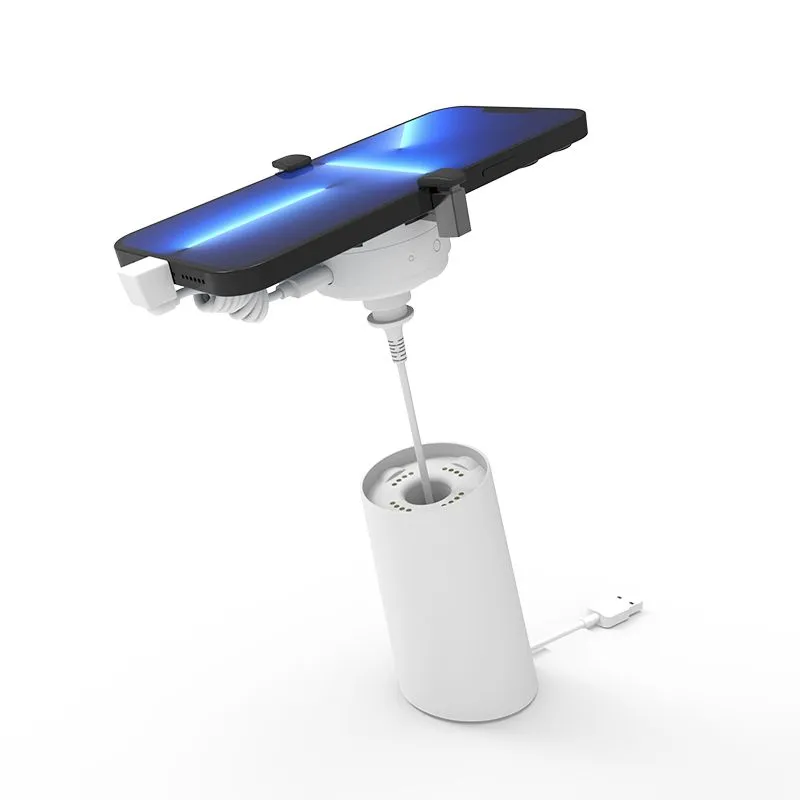
If you're in the market for anti-theft display stands — whether for a single store or a chain of 100+ locations — the options can be overwhelming. Prices range from under $10 per unit to over $100. Features vary wildly. Quality differences aren't obvious from product photos alone.
This guide cuts through the noise and gives you a practical framework for making the right buying decision.
Direct answer: what is the difference between centralized and standalone systems?
A standalone system keeps the alarm and display-security functions at each individual display point, which can be simpler for smaller or frequently moved installations. A centralized system uses a controller or shared infrastructure for multiple display points, which can simplify coordinated management but requires more planning for ports, wiring, power and installation.
The right choice depends on the device mix, store layout, alarm and charging requirements, maintenance workflow and the exact configuration supported by the selected model. For project sourcing, compare the manufacturer evaluation criteria and confirm the procurement details before requesting a quotation.
Step 1: Define Your Requirements Before You Shop
Before looking at any product, answer these questions:
| Question | Why It Matters |
|---|---|
| How many devices will you display? | Determines whether single units or multi-port systems make sense |
| What types of devices? | Phones, tablets, watches, and laptops each need different stand designs |
| What's your store's foot traffic? | Higher traffic = need for more robust security |
| Do you need charging? | If yes, ensure the stand includes proper charging cables and power management |
| Who manages the system? | Determines whether you need simple standalone units or centralized remote control |
Step 2: Understand the Product Categories
A. Standard Alarm Stands (Single Unit)
Best for: Small to medium retailers, individual display points
Each unit is self-contained with its own alarm, battery, and cable. When a device is lifted or the cable is cut, an audible alarm (typically 85-100dB) sounds.
Pros: Simple setup, no infrastructure, easy to move
Cons: Each unit managed individually; no centralized control
Typical price range: $10-$30/unit
B. High-Security Stands (Titan-type Series)
Best for: Flagship stores, high-crime areas, high-value devices
Reinforced housing, heavier steel cables, louder alarms (90dB+), and often retractable cable mechanisms. Some feature wireless remote disarm.
Pros: Much harder to defeat, remote management available
Cons: Higher per-unit cost, larger footprint
Typical price range: $30-$60/unit
C. Centralized Multi-Port Systems
Best for: Chain retailers, stores with 4+ display points
A single controller unit manages 4-8 individual stands. Reduces hardware cost by sharing electronics across multiple display points.
Pros: 30-40% cost savings vs individual units, centralized management
Cons: Requires more planning for installation
Typical price range: $40-$80 per controller + $10-$20 per stand
D. Mechanical Security (Pull Boxes / Security Hooks)
Best for: Lower-value items, accessories, high-volume displays
No alarm — physical restraint only. A retractable cable or locking mechanism secures the device without electronics.
Pros: Lowest cost, no batteries to maintain, extremely reliable
Cons: No alarm deterrence; only prevents casual removal
Typical price range: $3-$10/unit
Step 3: Evaluate Key Features
Alarm Quality
Not all alarms are created equal. Look for:
- Volume: Confirm the required alarm level in the actual retail environment.
- Trigger reliability: Ask how the selected sensing method behaves under the intended installation conditions.
- False alarm rate: Test this before committing to a large order.
Power and Charging
If you're displaying working demo units, charging is non-negotiable:
- USB charging: Confirm the connector and charging behavior for the device you're displaying.
- Charging current: Confirm the required current for the selected phone, tablet or other device.
- Battery backup: Confirm whether the alarm remains active during power interruption and for how long.
Cable Quality
The cable is the most common failure point:
- Material: Confirm the cable construction and intended security level.
- Thickness: Match the cable specification to the display environment and selected model.
- Mechanism: Compare retractable and fixed-length options against the fixture and staff workflow.
Remote Management
For any setup with 3+ display points, consider systems that offer:
- 2.4GHz wireless remote disarm
- Silent mode (for after-hours or VIP scenarios)
- Low battery indicators
Step 4: Factory Direct vs. Branded — A Realistic Comparison
| Factor | Factory Direct (China) | Branded (US/Europe) |
|---|---|---|
| Per-unit cost | $ | $$$ |
| MOQ | 10-100 units typical | Low or no MOQ |
| Quality | Varies — vet your supplier | Consistent |
| Customization (OEM/ODM) | Available | Limited |
| Lead time | 2-4 weeks | In stock usually |
| Warranty | Varies (1-2 years typical) | 1-3 years |
| Support | Time zone difference | Local support |
Our recommendation: For small deployments (1-5 stands), branded solutions may be simpler. For chain deployments (20+ stands), factory-direct offers significantly better value and the ability to customize.
Step 5: Calculate Total Cost of Ownership
Don't just look at unit price. Consider:
```
TCO = (Unit Cost × Quantity) + (Installation) + (Annual Battery Replacement) + (Replacement Units) - (Shrinkage Reduction Savings)
```
Example: 10 display points over 2 years
| Factor | Budget Option | Premium Option |
|---|---|---|
| Unit cost | $15 × 10 = $150 | $40 × 10 = $400 |
| Installation | $50 (DIY) | $200 (professional) |
| Battery replacement | $30/year | $0 (rechargeable) |
| Replacement units | 3 @ $15 = $45 | 0 (higher reliability) |
| Estimated theft reduction | 60% | 85% |
| Theft savings (est.) | $1,200 saved | $1,700 saved |
The premium option actually delivers better net financial results despite higher upfront cost — but only for stores with meaningful theft exposure.
Final Checklist Before Buying
- [ ] Confirm device types and sizes
- [ ] Choose alarm vs. non-alarm based on theft risk
- [ ] Decide between standalone and centralized
- [ ] Get samples from 2-3 suppliers before bulk order
- [ ] Verify certifications (CE, RoHS for international)
- [ ] Clarify warranty terms and return policy
- [ ] Ask about OEM/ODM if you need branding
- [ ] Check cable length and retraction mechanism quality
- [ ] Test alarm volume in your actual store environment
- [ ] Confirm power requirements match your store layout
Buyer FAQ
What is the difference between a centralized and standalone phone security display system?
A standalone system keeps the alarm and display-security functions at each individual display point, which can be simpler for smaller or frequently moved installations. A centralized system uses a controller or shared infrastructure for multiple display points, which can simplify coordinated management but requires more planning for ports, wiring, power and installation. Confirm the device mix, store layout, alarm and charging requirements, maintenance workflow and supported configuration before selecting one.
About the author: This guide was compiled by retail security display specialists with experience supplying display protection solutions to retailers in global markets.
Need a Retail Security Solution?
Get a free consultation and custom recommendation for your store. Factory-direct pricing, global shipping.
Request Free Assessment