
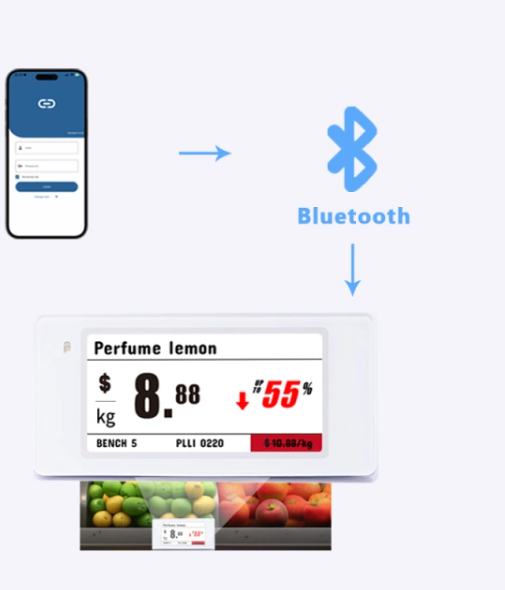
Many ESL projects begin with a deceptively simple requirement: “When the price changes in our POS or ERP, update the shelf label.” A demonstration can make this look like one API call. A production system is different. It must define which system owns each field, how duplicate events are handled, how templates are versioned, what “success” means, and how operators recover when a label does not refresh.
Direct answer: how can ESL integrate with POS, ERP or WMS?
Map product, price, inventory or promotion data from the source system into a controlled ESL workflow. Keep business-data ownership in the POS, ERP, WMS or product-information system, then define the ESL platform's responsibilities for templates, label bindings, rendering, delivery and status.
Before a rollout, confirm field mapping, update events, gateway or middleware responsibilities, authentication, retries, reconciliation and pilot acceptance criteria for the selected project. Do not assume universal compatibility or a fixed API boundary.
This guide presents a practical reference architecture for retailers, system integrators and software teams connecting a Tocvue electronic shelf label system to POS, ERP, WMS, pricing or product-information systems. The design applies to centralized access-point deployments and, with a different final delivery step, to BLE-assisted workflows.
1. Start with the boundary: business data is not display data
The POS, ERP, WMS or product information system should remain the source of truth for business data. It knows that SKU 847203 has a selling price of 19.90, a member price of 17.90, inventory of 42 and a promotion ending Friday. It should not need to know the pixel layout, e-paper waveform or wireless protocol of a shelf label.
The ESL platform owns a different layer: stores, label identities, templates, bindings, render jobs and device communication. It combines approved product fields with a template, produces display-ready data and sends a controlled update through the selected communication channel.
Core design rule
Integrate at the business-data layer, not at the raw-display layer. If the POS generates label images or speaks a device protocol directly, every label model, layout change and firmware difference leaks into the retailer's core system. That creates tight coupling and makes future migration expensive.
A clean responsibility split looks like this:
| Responsibility | System of record | Integration implication |
|---|---|---|
| SKU identity, price, promotion, inventory | POS / ERP / WMS / PIM | Publish stable business fields and change events |
| Store scope and commercial rules | ERP / pricing engine | Send the intended store and effective time |
| Template layout and field binding | ESL platform | Reference a controlled template or mapping rule |
| Product-to-label relationship | ESL platform, reconciled with store operations | Use bind/unbind workflows and audit changes |
| Rendering, queueing and device delivery | ESL platform | Track asynchronous task status |
| Business completion and exception ownership | Integration layer | Close the loop, retry safely and alert operators |
2. Use an integration layer between enterprise systems and the ESL cloud
Direct POS-to-ESL integration can work in a small pilot, but it usually becomes fragile when more stores, source systems or pricing workflows are added. A dedicated adapter or middleware service creates one stable contract on each side and absorbs vendor-specific API details.
Recommended logical flow
The integration layer does not need to be a large enterprise service bus. It can be a focused application with five jobs:
- Normalize: convert source-specific fields into a canonical ESL product model.
- Validate: reject incomplete identities, invalid prices, unknown stores or unsupported template combinations before creating device work.
- Orchestrate: sequence product upsert, binding, refresh and status queries.
- Protect: deduplicate repeated events and retry transient failures without generating conflicting updates.
- Observe: retain correlation IDs, request results, device task states and operator actions.
For multiple stores, partition work by store_code. Store-level isolation prevents one offline site or a large promotion from blocking unrelated stores. For high change volumes, a queue between ingestion and ESL submission provides backpressure and makes recovery predictable.
3. Design the data contract before writing API code
Field mapping is where many integrations quietly fail. The teams agree that “price” will be sent, but not which price, currency, tax basis, effective time or formatting rule. A written contract should define identity, business meaning, ownership, validation and display behavior for every field.
| Canonical field | Purpose | Recommended rule |
|---|---|---|
store_code | Tenant/store scope | Required on every store-specific operation; never infer from user session |
product_code | Stable product identity | Immutable SKU key; do not use name, barcode image or price as identity |
barcode | Scanning and lookup | Keep separate from product identity if re-use or multiple barcodes are possible |
name, specification, unit | Customer-facing description | Define maximum length, truncation and language policy |
selling_price | Current shelf price | Use a decimal value plus explicit currency/tax convention |
member_price, original_price | Promotion comparison | State when each field may be blank and which template element hides |
inventory | Availability or operational display | Decide whether it is customer-visible, staff-only or not shown |
image_url, qr_value | Rich content | Validate URL reachability, QR payload ownership and update frequency |
f1–f16 | Project-specific extensions | Maintain a governed dictionary; never let their meaning vary by store |
effective_at | Business timing | Use timezone-aware timestamps and define early/late-event behavior |
Identity and upsert semantics
A stable product code is the foundation of idempotency. In a typical ESL API, submitting an existing product code updates the existing product instead of creating a second one. The integration layer should therefore treat product synchronization as an upsert: the same logical event can be replayed safely and converges on the desired product state.
Do not assume that deleting a product is harmless. In ESL workflows, deleting a bound product may also remove the product-to-label relationship. Product retirement should be a separate, permission-controlled workflow with a pre-check for active bindings.
Template versioning is part of the contract
Templates bind business fields to text, price, barcode, QR, image and graphic layers for a specific label model and orientation. Treat templates like software artifacts:
- Give each approved layout a stable template ID and version.
- Record supported label models, orientation, language and required fields.
- Test a new version against representative products before rollout.
- Keep a rollback path if a field is missing or the rendered result is unacceptable.
- Do not allow each store to reinterpret extension fields without governance.
4. Build an explicit API orchestration workflow
A robust ESL API integration is a sequence, not a single call. The representative endpoint names below illustrate typical Tocvue platform operations; the production hostname, API version, authentication/signature method, permissions and rate limits must be confirmed for the selected project.
Step 1 — Establish store context and authentication
Each request should carry the correct store scope and authenticated signature or token. Credentials belong in a secret manager, never in POS clients, mobile logs or source repositories. Separate production and test credentials, and use the minimum permissions required for each service.
Step 2 — Upsert product data
Use a product create/update operation such as /product/create for one item or /product/create_multiple for a controlled batch. Validate the request before submission and retain both the source event ID and ESL response.
{
  "event_id": "price-20260813-009184",
  "store_code": "SG-001",
  "product_code": "SKU-847203",
  "barcode": "8880008472031",
  "name": "Organic Oat Drink 1L",
  "selling_price": "19.90",
  "member_price": "17.90",
  "currency": "SGD",
  "effective_at": "2026-08-13T09:00:00+08:00",
  "template_key": "GROCERY_PROMO_29_V3"
}
This is a canonical integration event, not a promise of an exact production payload. The adapter translates it into the approved API schema.
Step 3 — Resolve the label relationship
Binding creates or changes a persistent relationship between products and labels. Workflows may support one product to one label, one product to multiple labels, or multiple products to multiple labels. Use operations such as /esl/bind, /esl/bind_multiple and /esl/unbind deliberately and record who or what changed the relationship.
Direct refresh, represented by operations such as /esl/direct, requests a display update without necessarily creating the same persistent relationship. It is useful for controlled one-off content but should not be confused with binding. If the store expects future price events to reach the same label automatically, verify that a persistent binding exists.
Step 4 — Trigger refresh
After the product and template state is valid, request the update. The platform renders the selected template with current product data, creates device-ready content and submits a communication task. A successful HTTP response normally means the platform accepted the work—not that the e-paper display has already changed.
Step 5 — Query status and close the loop
Use task/status operations such as /esl/query_status to distinguish accepted, queued, dispatching, completed and failed work. Store the terminal result against the original event. Only then can the integration layer report a meaningful business outcome.
5. Model asynchronous state, idempotency and ordering
Wireless updates are asynchronous. Network conditions, store connectivity, device availability and BLE proximity can delay completion. Represent that reality in a state machine instead of a boolean updated=true.
Idempotency: make replay safe
Retail systems retry. Message brokers redeliver. Operators click twice. An integration must expect duplicate input. Create an idempotency key from a stable source event ID, or from a controlled tuple such as store + product + source_version + operation. Before submitting new device work, check whether that logical change is already in progress or completed.
Idempotency does not mean ignoring later changes. If a price moves from 19.90 to 18.90 while the first update is queued, the system should preserve ordering or collapse both events into the newest desired state. A per-store or per-label ordered queue is safer than concurrent, uncoordinated calls.
Desired state beats command history
Store the current desired product-and-template state separately from delivery attempts. That enables reconciliation: “The label should show version 184, but the last confirmed device version is 182.” The system can then repair the difference without reconstructing every past command.
Define success precisely
At minimum, separate API accepted, render task created, communication completed and business state reconciled. The final evidence available depends on the selected label, communication method and platform configuration; agree on it during the POC.
6. Engineer failure handling before rollout
Retries are necessary, but blind retries can make incidents worse. Classify errors and attach a response policy:
| Error class | Example | Recommended action |
|---|---|---|
| Validation | Missing product code, invalid store, unsupported field | Reject immediately; notify data owner; do not retry unchanged input |
| Authentication / authorization | Expired credentials, invalid signature, missing permission | Stop affected flow; alert integration owner; protect against retry storms |
| Transient platform/network | Timeout, temporary gateway or service failure | Retry with exponential backoff and jitter; preserve idempotency key |
| Device/store communication | Label unavailable or store channel offline | Keep task pending within policy; surface store exception; reconcile later |
| Permanent device/configuration | Wrong model/template combination, unknown label | Move to exception queue; require correction before resubmission |
| Ordering conflict | Older event arrives after a newer price | Compare source version/effective time; discard stale event |
Use capped exponential backoff for transient errors and a dead-letter or exception queue for work that exceeds the retry policy. Every exception should include store, product, label, template, source version, correlation ID, last error and recommended operator action.
Run scheduled reconciliation
Event processing alone is not enough. Add a scheduled reconciliation job that compares:
- source-system product version versus ESL product version;
- expected product-to-label binding versus actual binding;
- desired template version versus assigned template;
- submitted update version versus last confirmed terminal status;
- active source products versus retired or orphaned ESL records.
This catches dropped events, manual changes and partial outages. The result should be an actionable exception list, not just a technical log.
Observe the business workflow
Useful operational metrics include update completion rate, queue age, end-to-end latency distribution, retry rate, failures by store and reason, binding mismatches and unreconciled products. Avoid promising universal throughput or latency before testing the actual store network, label count, update pattern and project configuration.
7. Keep AP, BLE and MQTT responsibilities clear
Centralized AP or gateway workflow
In a centralized deployment, the cloud or server submits device work through the store communication infrastructure. This model suits centrally managed updates and allows the integration service to track tasks without requiring a person to stand near each label. Network design, AP placement, store segmentation and failover still require site-specific validation.
BLE-assisted workflow
In a BLE workflow, the cloud still manages product, template and task data. A mobile app retrieves pending work, connects to the nearby label, writes the generated data in chunks and triggers the physical refresh. The mobile client is a delivery agent; it should not become a second source of product truth or an uncontrolled local image editor.
BLE APIs may expose operations such as /esl_ble/bind, /esl_ble/direct, /esl_ble/query and queue-related searches. The important acceptance question is not simply “Does the API return success?” It is “Can the authenticated mobile workflow retrieve the correct task and complete the same template/page update on the actual label?”
What MQTT changes—and what it does not
MQTT can support deeper device-control workflows such as status reporting, LED actions or operational messages when the hardware, firmware, broker credentials, topic permissions and project enablement support them. The existence of an MQTT command specification does not automatically grant production broker access or guarantee that every device variant supports every command.
Project-evaluation items
Private deployment, white-label software, customer-controlled MQTT, SDK delivery, NFC workflows, dual-sided labels, extreme environments and performance capacity should be evaluated against the chosen hardware, firmware and commercial scope. They should not be assumed from a generic API list.
8. Apply integration-grade security and change control
- Secrets: keep API keys, signature secrets and broker credentials in managed secret storage; rotate and audit them.
- Least privilege: separate product-sync, binding administration and device-control permissions where the platform allows it.
- Environment separation: use distinct test and production stores, templates, credentials and queues.
- Data minimization: send only fields required for the shelf workflow; avoid customer or payment data.
- Auditability: retain who changed a binding or template, the source event and the terminal task result.
- Release control: version adapters and templates together when a field-contract change affects rendering.
Production readiness also requires documented rate limits, maintenance behavior, clock/timezone conventions and support escalation. These are project parameters, not safe assumptions.
9. Turn the POC into an acceptance test, not a demonstration
A good POC uses real representative data, templates, users, labels and store conditions. It proves the risky parts of the end-to-end workflow before volume expands.
For BLE, add real-phone login, task retrieval, proximity behavior, chunked write, label refresh and cross-platform acceptance. For centralized deployments, test the target store network and representative concurrent update pattern. Scale only after the acceptance evidence is complete.
Questions to settle before implementation
- Which system owns each displayed field, and how is a correction propagated?
- What stable product key and source version identify a change?
- Is the required operation a persistent bind, a direct refresh or both?
- Who selects templates, and how are model/language variations governed?
- What terminal device evidence defines success?
- How long may an update remain pending before a store operator is alerted?
- Which errors are retried automatically and which require human correction?
- What update volume, store topology and communication method must the POC represent?
Conclusion: integrate for convergence, not just connectivity
A production ESL integration succeeds when every system can answer three questions: What should this label show? What state is it in now? What action will close the gap? The API provides the control surface, but data contracts, idempotent orchestration, status tracking and reconciliation make the workflow dependable.
Begin with one canonical product model, one controlled template family and one representative store. Prove update, failure and recovery behavior. Then expand stores, templates and automation without moving device-specific complexity into the POS or ERP.
ESL integration FAQ
How can electronic shelf labels integrate with POS, ERP, or WMS systems?
Map product, price, inventory or promotion data from the source system into a controlled ESL workflow. Confirm field ownership, update events, templates, gateway or middleware responsibilities, status handling and pilot acceptance criteria before rollout.
Should POS send display images directly to ESL labels?
Usually no. The source system should send governed product and price data. The ESL platform combines that data with a controlled template and generates device-ready display content.
What is the safest product key?
Use a stable, immutable SKU or product code shared by the source system and ESL platform. Product name, barcode artwork and price are attributes, not reliable identity keys.
What is the difference between binding and direct refresh?
Binding establishes a persistent product-to-label relationship. Direct refresh requests an update without necessarily changing that relationship. Confirm exact semantics in the selected project API.
How should we validate the integration pilot?
Use real products, edge-case fields, approved templates and actual labels. Verify authentication, upsert, binding, refresh, status, failures, retries, reconciliation, roles and operational ownership.
Planning a POS, ERP or WMS to ESL integration?
Share your source systems, store count, label models, update pattern and required data fields. Tocvue can help define the POC boundary and confirm the applicable API and communication workflow.
Discuss Your Integration