
Retail security displays are often evaluated by a simple question: will the phone stay on the table? That is the right first question. It is not the last one.
Every display phone has a lifecycle. It is installed, handled hundreds of times, cleaned, updated, moved, replaced by a newer model, and eventually transferred, refurbished, sold, or returned. A system that performs well only on installation day has solved only one stage of the job. When the device cannot be removed cleanly at the end of that lifecycle, a low-cost mounting choice can become an expensive operations problem.
Strong adhesive solves one risk—and can create another
Retailers need a security attachment to remain stable through constant customer handling. High-bond tapes and adhesive pads are therefore common in smartphone display systems: they are quick to deploy, keep a fixture compact, and avoid drilling into a counter.
But a high-bond interface changes the removal problem. If an employee pulls a sensor puck upward from one corner, force concentrates on a small area of the device back. On glass-backed phones, coated surfaces, repaired devices, or devices with an existing defect, that is exactly the kind of uncontrolled load a retailer wants to avoid.
“Strong” should not mean impossible to remove. It should mean stable for the customer, resistant to unauthorized interference, and controllable for trained staff at the right time.
This is not merely a theoretical concern. In a Reddit discussion, a cell-phone retail employee described trying to remove an industrially adhered security device from an iPhone display model and breaking the back glass along with part of its MagSafe assembly. One account is not an industry statistic, but it is a useful reminder that a display fixture becomes part of the asset-management workflow as soon as it touches a high-value phone. Read the discussion.
The outcome can include more than a damaged back cover:
- a demonstration unit that cannot be sold or refurbished;
- cosmetic residue that makes a premium device look used;
- staff time spent scraping, cleaning, escalating, and reconciling inventory;
- a rushed replacement that leaves an empty display position; and
- uncertainty over whether the device was damaged by the fixture, adhesive, or removal method.
The usual fix comes too late
Many stores address removal only when a new phone generation arrives. A staff member reaches for fingernails, a metal screwdriver, tweezers, or whatever tool is nearby. Even if the device survives, the result varies from person to person.
That is not a removal process. It is improvisation.
The better question is not “How do we get this adhesive off?” It is “What surface should the adhesive be allowed to touch in the first place?”
Design the attachment to leave through a controlled interface
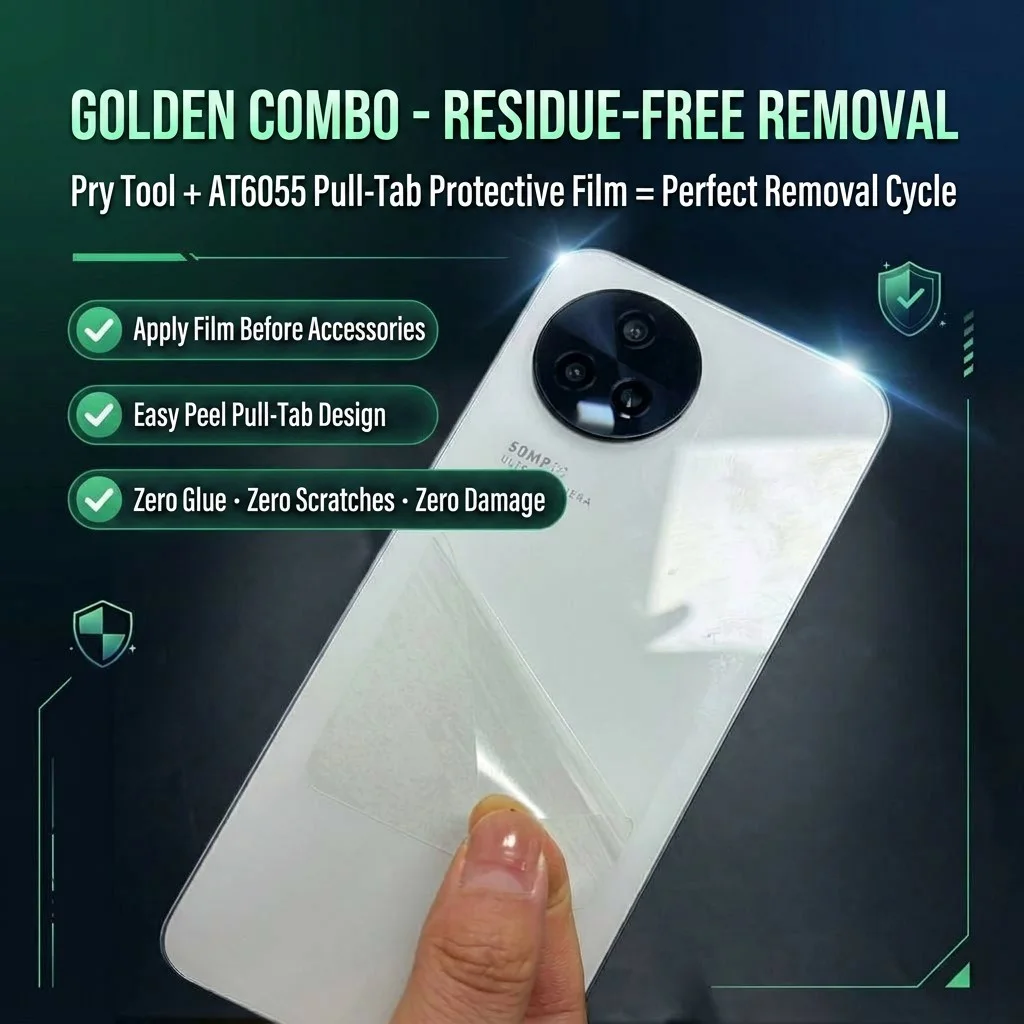
A practical answer is a sacrificial protective interface: apply a removable protective film to the compatible device surface first, then mount the security sensor or accessory on that film. At replacement time, the operator starts from a planned pull tab rather than directly prying at the phone surface.
This turns removal into a repeatable workflow:
- Protect. Apply the protective film to a clean, compatible device back, leaving the pull tab accessible.
- Secure. Mount the approved security component on the film according to the display-system instructions.
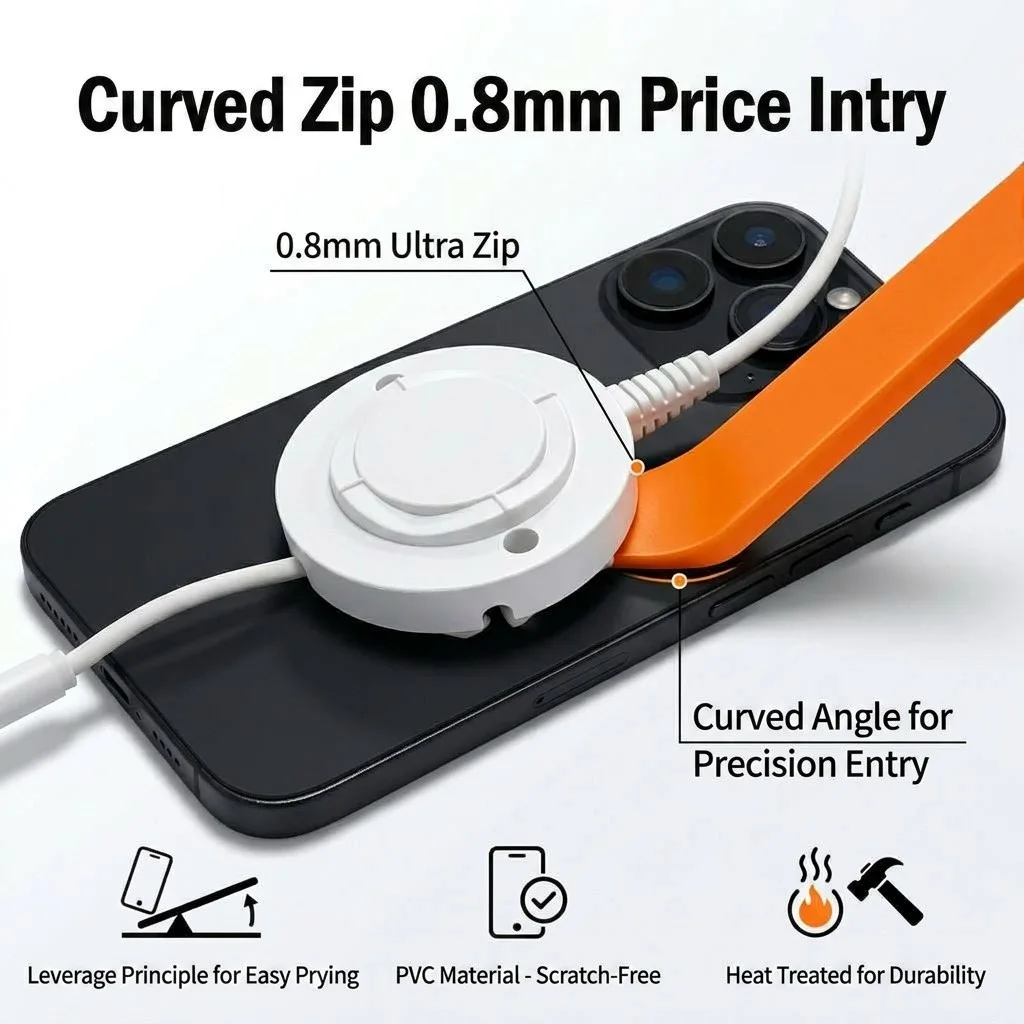
- Swap. Begin from the pull tab and gently separate the attachment. If needed, use a thin non-metal curved tool to lift progressively from the edge—not a sharp metal tool against the phone.
- Inspect. Check the device surface, clean only with materials approved for that device, and record any exception before returning it to inventory.
The design principle is simple: the display system should exit at the replaceable layer, not at the expensive device.
Why a non-metal tool matters
A thin tool can help start separation at the edge instead of concentrating force at the center. Yet material and geometry matter too. A metal blade may be thin, but it adds scratch risk and can turn a small gap into uncontrolled leverage.
A purpose-made non-metal pry tool, such as a 0.8 mm curved PVC profile, is intended to enter a narrow gap gradually and spread force along the edge. It does not make every device or adhesive combination risk-free. It does create a more repeatable, lower-risk action than using a screwdriver or tweezer as an emergency lever.
Build a removal-first specification for every display project
When evaluating a phone anti-theft display system, ask these questions before installation:
| Ask | Why it matters |
|---|---|
| What is the approved removal method after 30, 60, and 90 days? | A new installation is not the same as a retired display. |
| Which device-back materials have been tested? | Glass, coated glass, plastic, metal, and repaired devices can behave differently. |
| Is there a protective interface or replaceable attachment layer? | It keeps the device from becoming the sacrificial part. |
| Is there a non-metal tool and a visual SOP? | It reduces variance between employees and locations. |
| Can the device be inspected and reused after removal? | It connects fixture choice to asset value, not only loss prevention. |
The system should also have a clear escalation rule. If a device is already cracked, has a loose back cover, contains a non-original repair, or uses an unvalidated material, the safe action may be to test on a spare unit or follow the device manufacturer’s service guidance—not simply use more force.
Security, device care, and speed can work together
Retail teams often see a choice between secure attachment and easy maintenance. The better design separates the two jobs. The security component remains stable during customer interaction; the replaceable interface and defined tool create an exit route for authorized staff.
That supports three commercial outcomes at once: loss prevention because the fixture stays properly mounted; operations because replacement becomes a short, teachable procedure; and asset recovery because the demo phone has a better chance of returning to inventory in presentable condition.
Make removal part of the display specification
SecureSwap combines the AT6055 pull-tab protective interface with a non-metal curved removal tool for compatible retail display workflows.
Explore SecureSwap