
Walk into a well-designed consumer-electronics store and the message is immediate: pick up the phone. Turn it. Compare the camera. Feel the weight. Take a photo. A security device is present, but it should not become the product the customer remembers.
That is why Apple-style display design has become a reference point for phone retailers. The useful lesson is not to copy a particular Apple Store fixture. Apple’s deployment, risk controls, and store environment are not a universal blueprint. The lesson is more durable: security is successful when it protects the selling experience instead of replacing it.
The false choice between open experience and security
Retail teams are often given two extremes. On one side is an open, premium display that invites handling. On the other is a heavy, visibly restrictive fixture designed to make removal difficult. Both choices create risk when treated as absolutes.
An overly restrictive display can reduce discovery. Customers cannot comfortably test the camera, one-hand reach, button position, screen brightness, or accessory fit. In categories where physical experience is part of the purchase decision, that friction affects the display’s ability to sell.
At the other extreme, an open display without a coherent security plan exposes the retailer to loss and operational disruption. Apple itself has used multiple layers of security beyond the visible tether, including software controls for display devices; its public approach has changed over time and by store format. Reporting on Apple’s tether-free experiments is evidence of a design direction, not a product specification to copy.
The practical goal for most retailers is neither “no security” nor “maximum restraint.” It is appropriate security with minimum customer-visible friction.
Four system layers behind a premium display experience
1. The customer layer: natural handling
Start with the customer’s intended actions. Can they lift the device without fighting the cable? Is reach long enough to compare it with another model? Can they rotate it, use the camera, and place it back without staff help?
This is where cable routing, recoil force, bracket geometry, charging position, and sensor-pad size matter. The fixture should support the product demonstration rather than dictate it.
2. The deterrence layer: make unauthorized removal difficult and noticeable
A display system still needs a credible response to tampering. Depending on risk, this can include device-level sensor detection, cable integrity, base tamper detection, an audible alarm, a staff remote, physical lock-down options, and store operating procedures.
Proportionality is the key. A high-traffic, high-risk zone may need a mechanical locking option or more robust base fixing. A premium showroom with strong staff visibility may prioritize a lighter interaction. One fixture should not force every retailer into the same experience.
3. The operations layer: keep the display working every day
A display that is secure but frequently unpowered, tangled, falsely alarming, or difficult to reset is not operationally premium. The daily questions are straightforward:
- Can staff replace a model quickly?
- Can they clean the device and counter without disturbing the system?
- Can they identify the cause of an alarm?
- Can they re-arm multiple displays without an awkward routine?
- Can the display stay charged through a normal sales day?
These questions determine whether a good-looking display remains good-looking after three months on the sales floor.
4. The device-care layer: preserve the asset after the display ends
This final layer is frequently missing. The demo phone is still an asset. When removed, a store may move it to another branch, return it to a vendor, use it for training, refurbish it, or sell it. The way a security device attaches to the phone therefore affects the phone’s value after its display role ends.
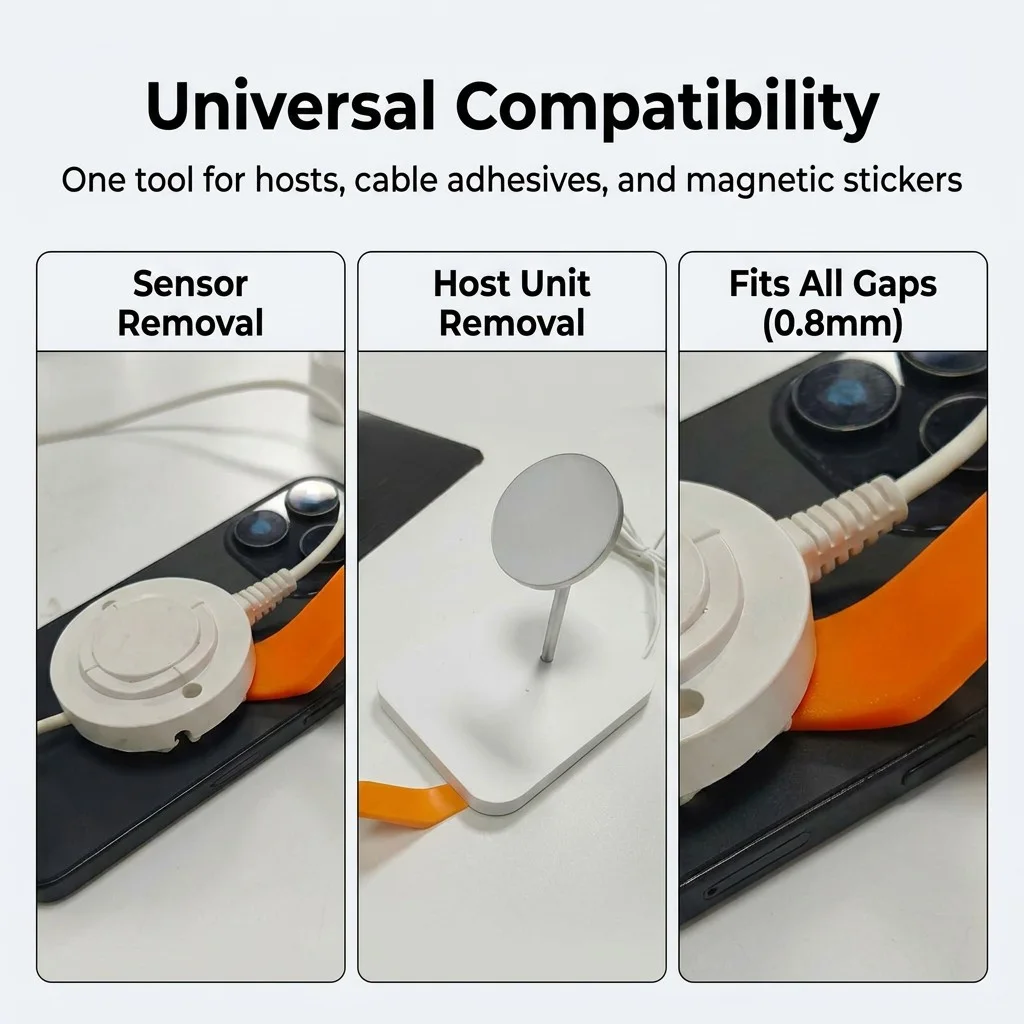
A removal-first workflow adds a protective interface before the adhesive accessory is mounted. A pull-tab film creates an intended starting point for removal, while a non-metal curved tool helps staff separate from the edge if extra assistance is needed. It is a small addition to the display setup that can prevent a last-day removal task from becoming an inventory write-off.
Do not copy Apple; copy the decision framework
The Apple reference is useful when it produces better questions, not when it produces imitation. Here is a framework a retailer can use:
| Design decision | Customer impact | Security / operations response |
|---|---|---|
| How far can the phone move? | Determines whether the customer can use the camera and compare naturally. | Select cable reach and recoil force by device zone, not by one global rule. |
| How visible is the security hardware? | Influences perceived product quality and display clarity. | Reduce visual bulk while retaining device/base tamper detection. |
| How does the fixture react to a threat? | Must not surprise ordinary customers. | Use clear, fast alarm logic and give staff a simple reset method. |
| How is the device replaced? | Determines downtime and staff confidence. | Standardize a removal SOP, tool, and protective interface. |
| What happens to the phone at end of life? | Affects resale and inventory recovery. | Treat clean removal as part of the purchase specification. |
A zone-based strategy works better than one fixture everywhere
Not every display position has the same risk or sales role. Divide the floor by the job each position must perform:
- Hero zone: newest flagship devices, strong staff visibility, high interaction. Favor low-visual-impact security, generous handling, and demonstration readiness.
- Standard comparison zone: broad model line-up. Prioritize consistent charging, clear spacing, stable alarm coverage, and simple remote operation.
- High-risk zone: less visible areas, high-theft items, or unattended periods. Add mechanical retention, stronger mounting, or more restrictive handling where risk justifies it.
The benefit is not only fewer theft events. It is a display strategy that spends friction where it is necessary instead of across every phone on the table.
The next generation of security display systems
The category is moving beyond the question “How loud is the alarm?” Future-ready systems will be judged on whether they can deliver five things together:
- a device that feels available to the customer;
- a credible deterrent and response to tampering;
- clean charging and cable management;
- quick, teachable maintenance; and
- controlled removal that preserves the demo asset.
For suppliers, that means designing not only a stand but an operating system for the sales floor: installation, daily use, reset, model swap, and end-of-life recovery.
Make the fixture disappear—but make the process better
The best security display is not invisible because it has no job to do. It is invisible because every part of the job has been thought through. The customer feels the phone. The retailer sees a secure, charged, orderly display. The staff member can replace the device without improvising. And when the model changes, the phone can leave the display in a condition worth keeping.
Plan security around the entire device lifecycle
TOCVUE can help plan a zone-based phone display setup with Titan security options and a SecureSwap device-care workflow for controlled installation and removal.
Explore SecureSwap